Skip to content

Features

Everything a groomer needs, in one diary

Made for UK salons, home-based and mobile groomers. The diary, the dog, the client, the money and the next visit all belong to the same workflow.

Start free trial

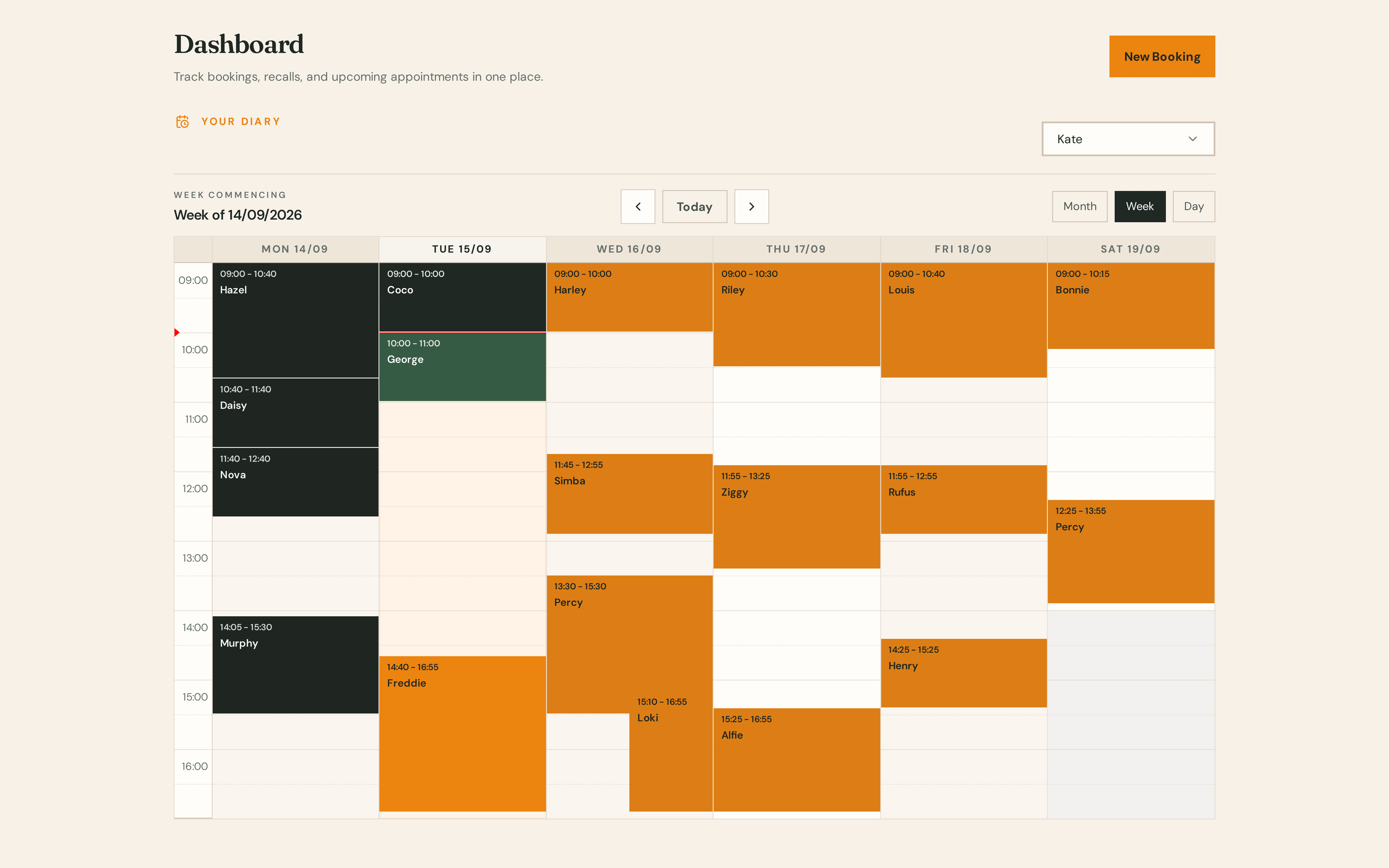
Your diary

A calendar that behaves like a grooming calendar.

See the day, the week and the appointment status without forcing grooming work into a generic meeting calendar.

  • Daily and weekly views
  • Appointment status
  • Fast rescheduling
  • Opening hours and buffers
Barkway grooming calendar

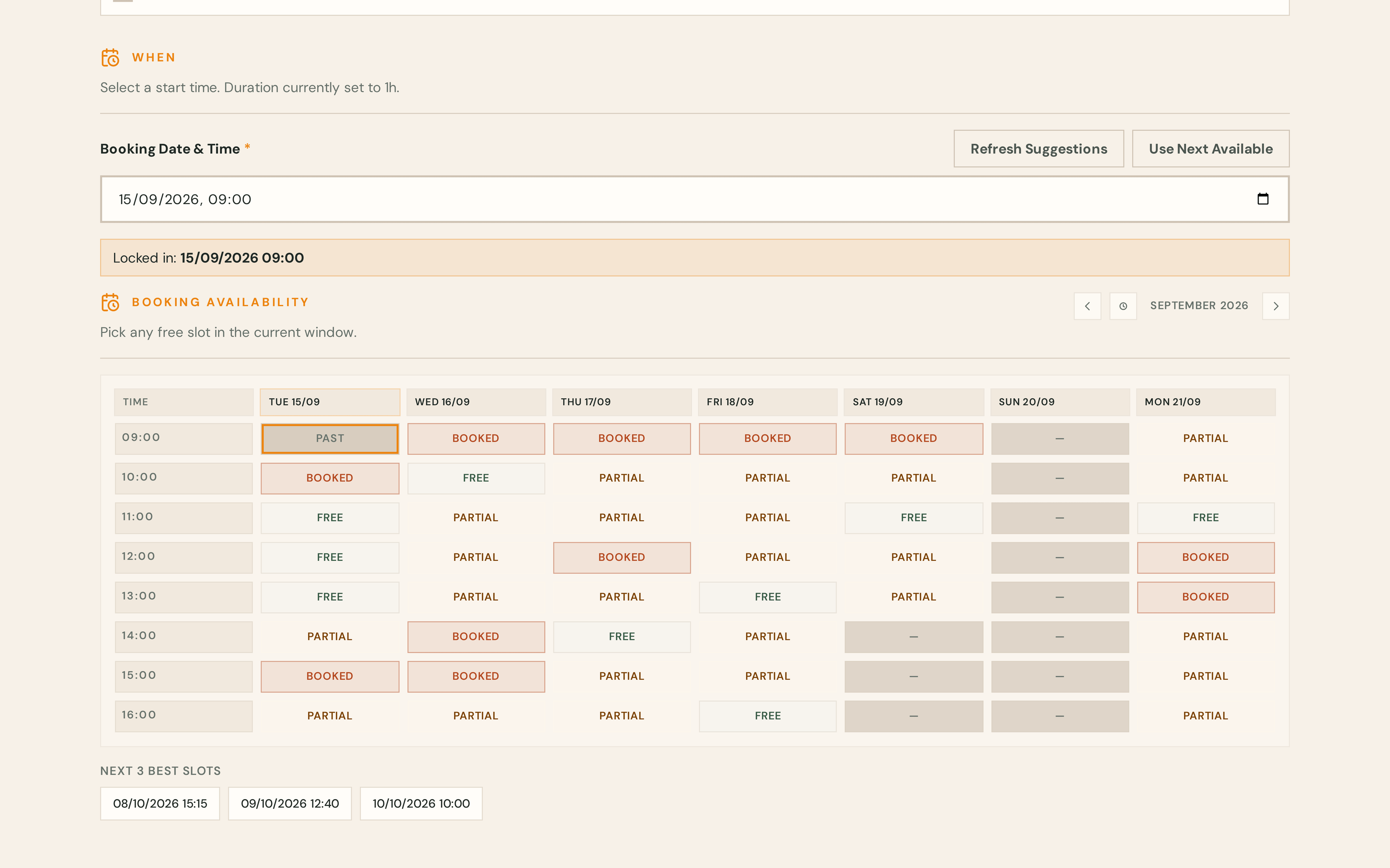
Finding a slot

Smart Scheduler™ does the mental calendar maths.

Barkway suggests sensible spaces using service duration, opening hours, groomer working hours when set, buffers and the appointments already in the diary.

  • Useful slot suggestions
  • Service-duration aware
  • Respects existing appointments
  • Built for real working hours
Barkway Smart Scheduler

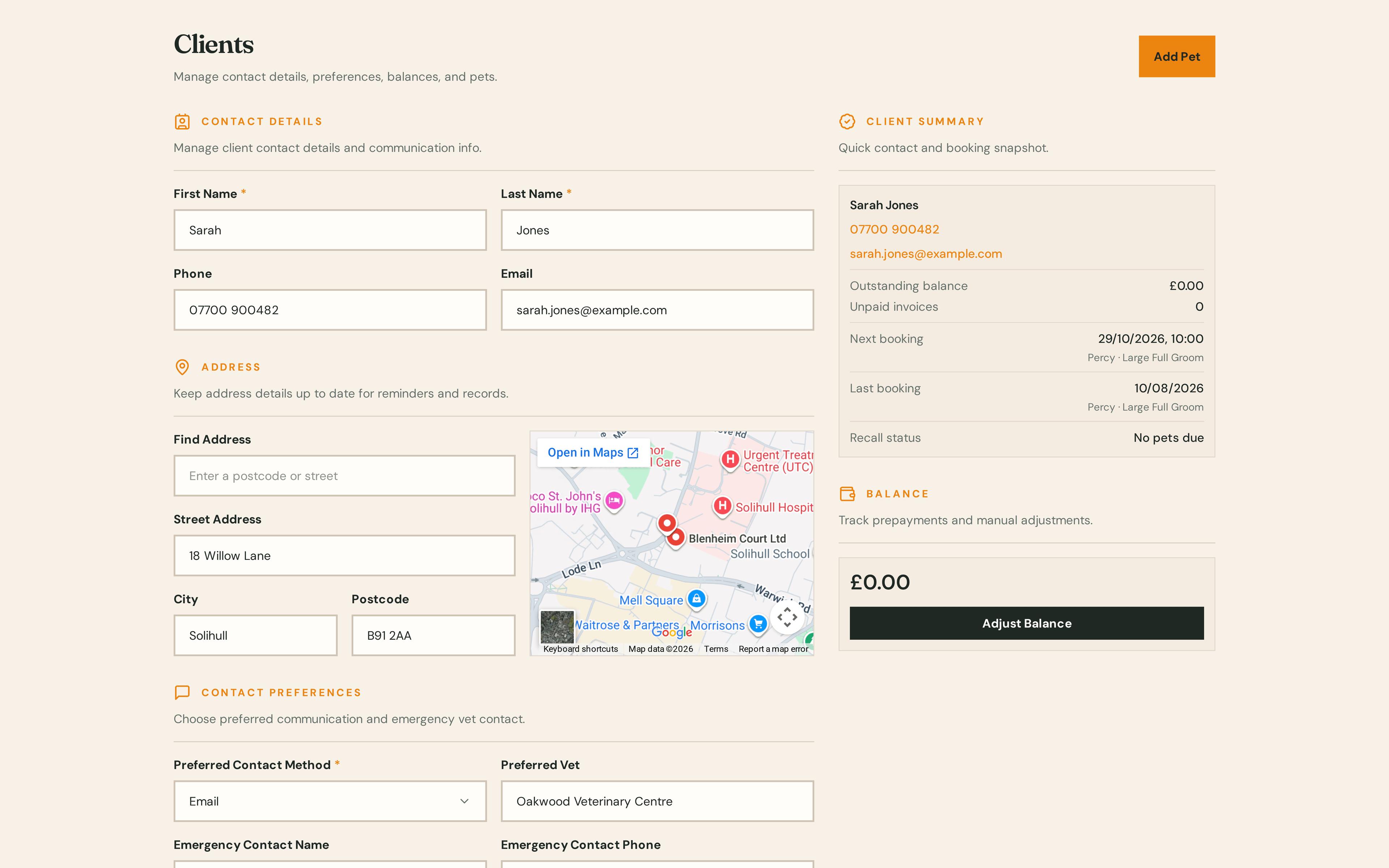
The dog

Pet history stays useful, not buried.

Keep the details that make the next groom easier: behaviour, allergies, preferences, notes, photos and previous visits.

  • Pet and client profiles
  • Behaviour and allergy notes
  • Grooming history
  • Multiple pets per client
Barkway pet and client record

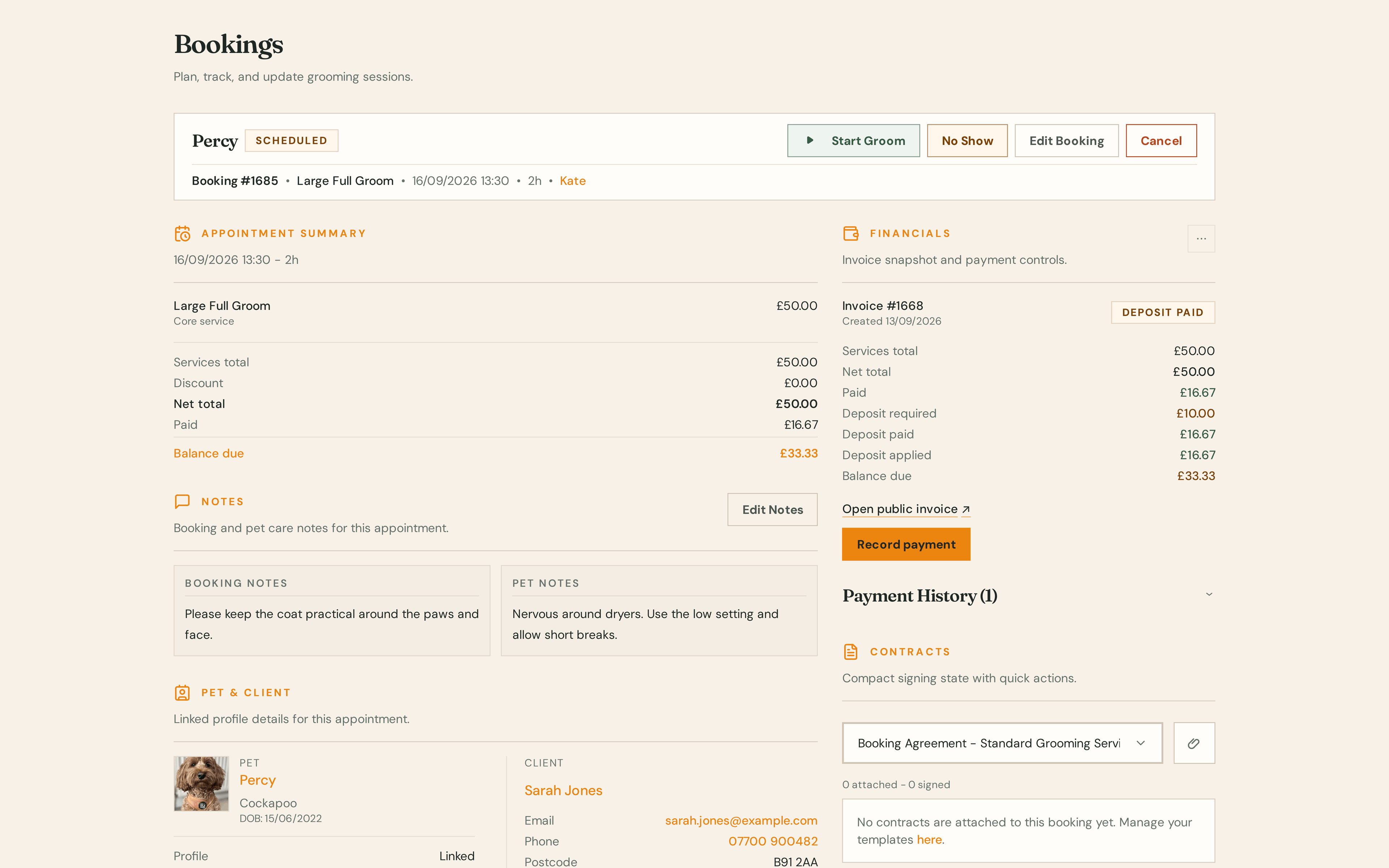
The appointment

Know what is happening without keeping it all in your head.

Bookings move through a clear workflow so scheduled, in-progress, completed and follow-up work stays visible.

  • Clear booking status
  • Connected appointment notes
  • Less mental tracking
  • Cleaner team handover
Barkway appointment workflow

The money

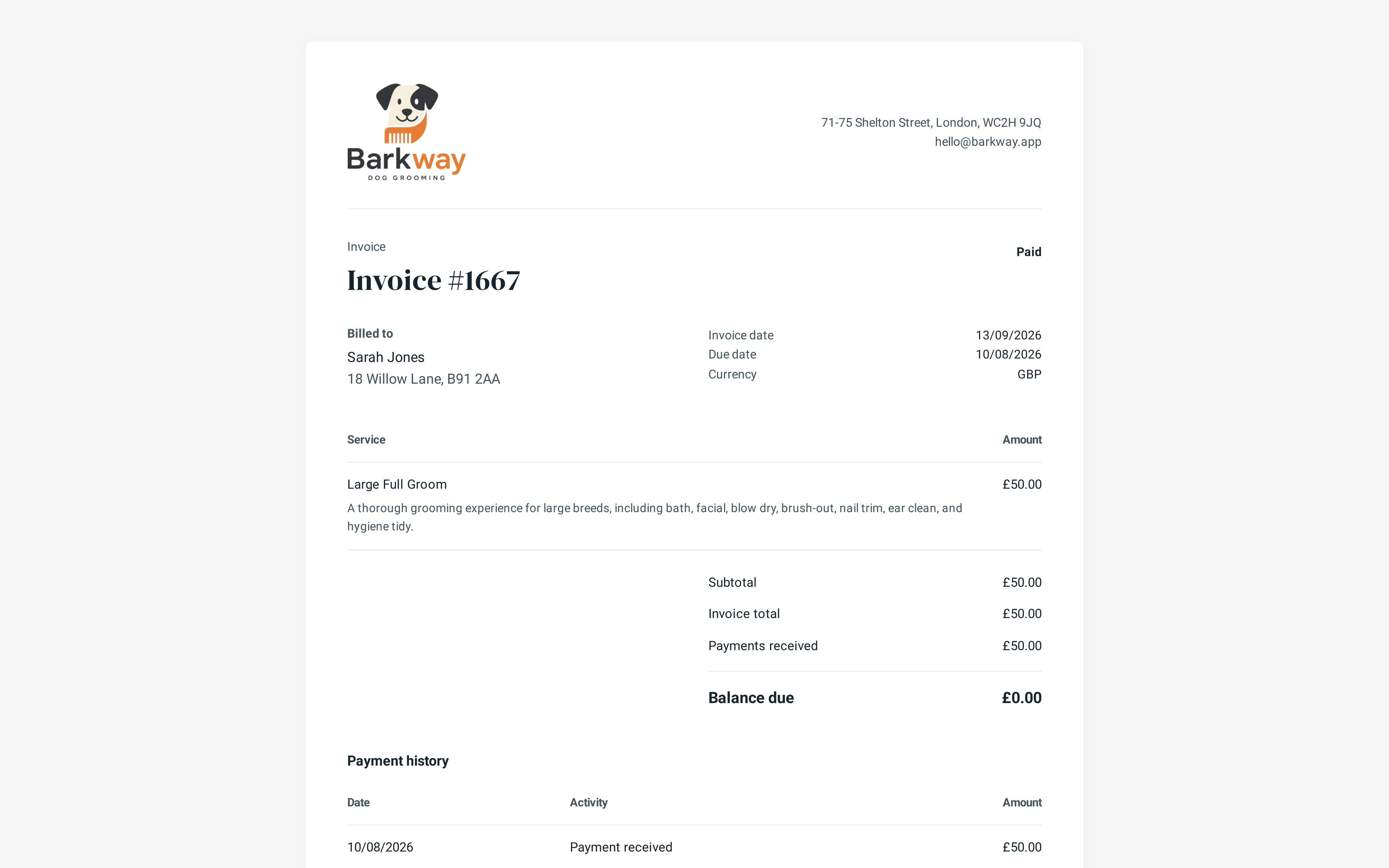
Invoices and balances belong next to the work that created them.

Require a deposit before an online request reaches you. It is applied to the booking when you accept, and goes back to the client’s card if you decline or it expires.

  • Invoices
  • Deposits and balances
  • Portal card payments with Stripe
  • Collect the deposit after a no-show
Barkway invoices and balances

The next visit

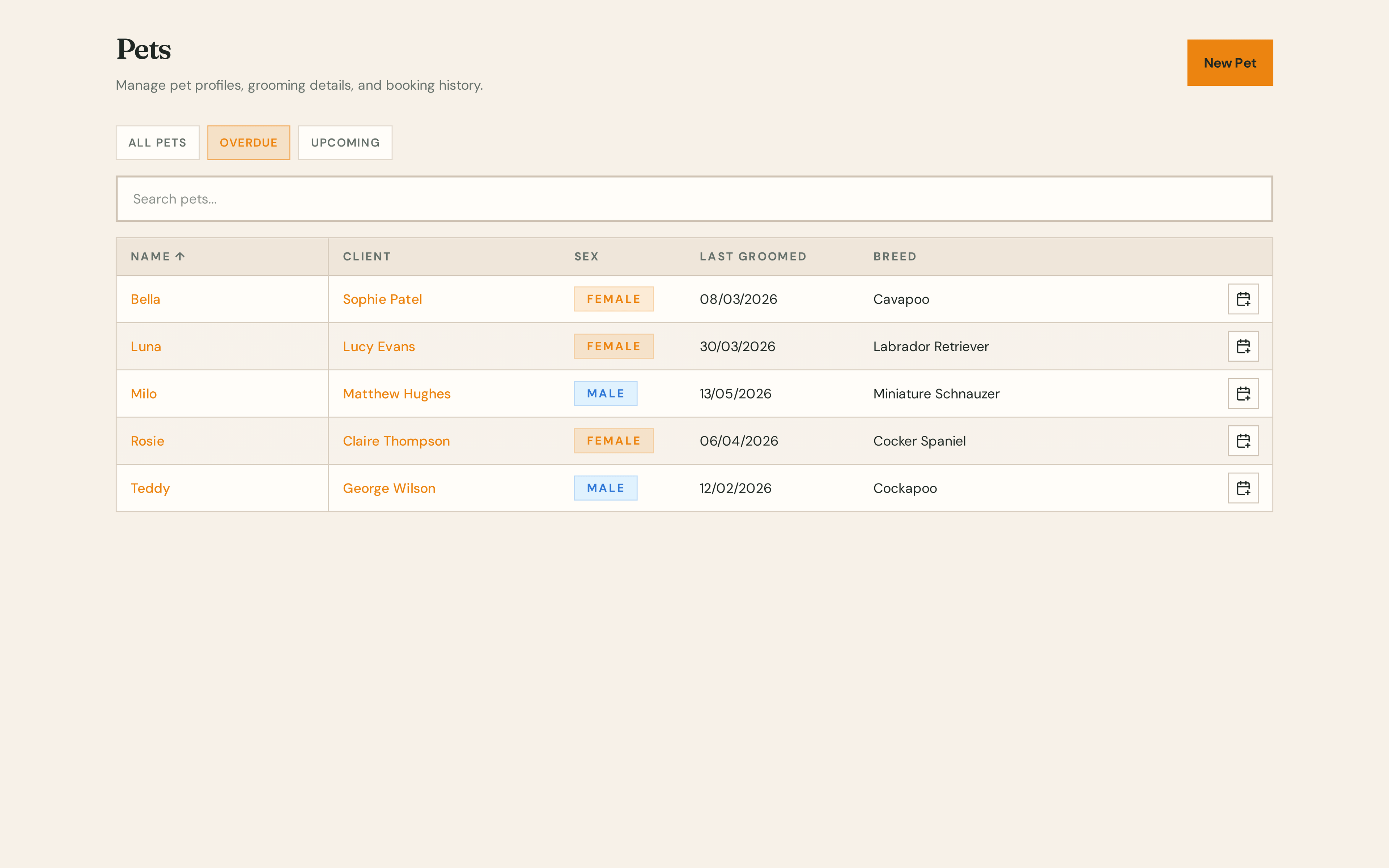
Reminders handle the nudge. Recalls keep regulars visible.

Reduce repetitive chasing before appointments and make overdue repeat clients obvious when it is time to follow up.

  • Automated email and SMS reminders
  • Recall tracking
  • Overdue follow-up
  • Less repetitive admin
Barkway reminders and recall tracking

For clients

Useful self-service without losing control of the diary.

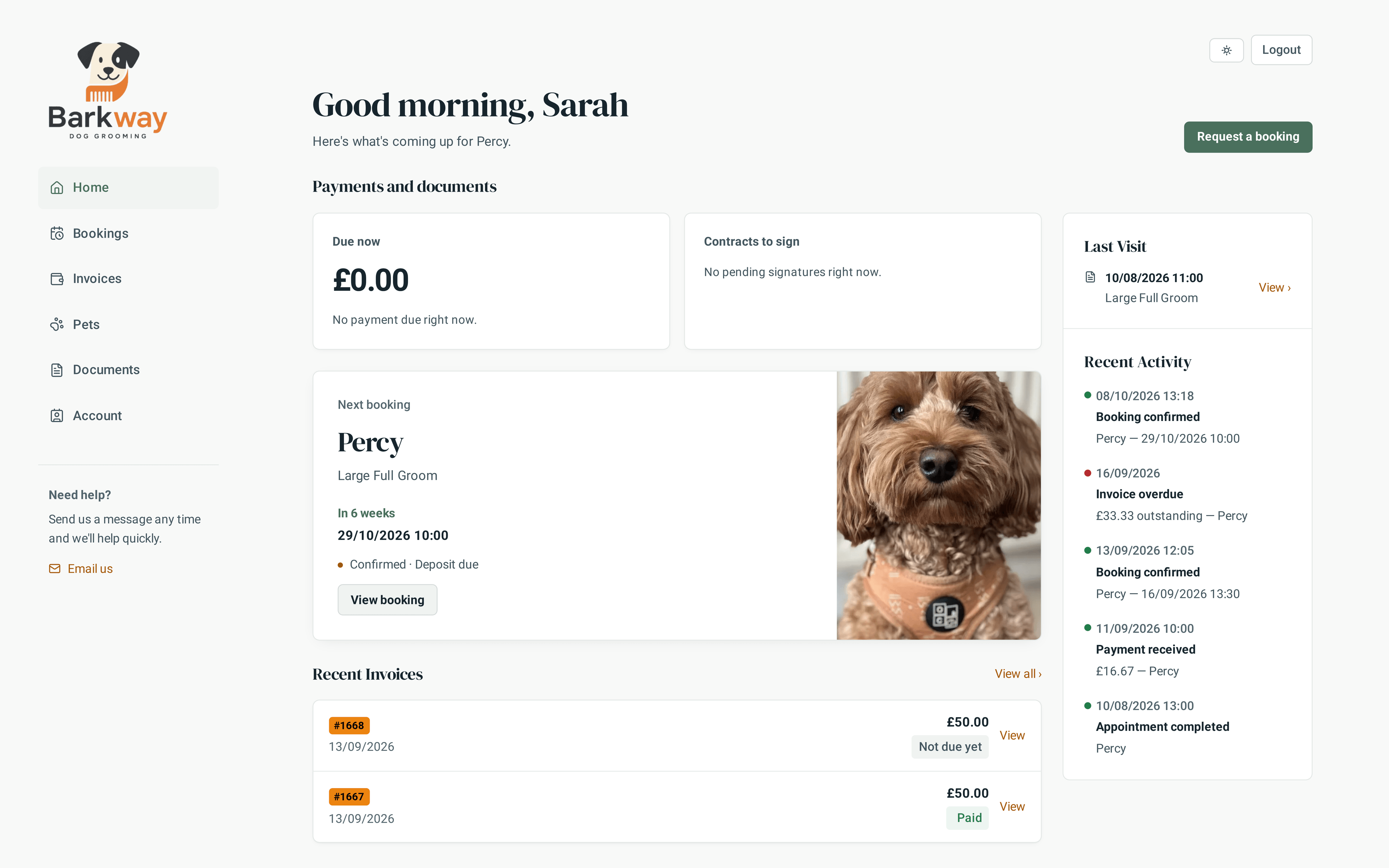
Share your booking link on Instagram, your website or elsewhere. New clients verify their email and enter the portal without you adding them first. You review each request before confirming.

  • Requests and confirmed bookings
  • Pets and client details
  • Invoice payments by card
  • Documents to review and sign
Barkway client portal dashboard with an upcoming appointment and client navigation
What can my clients do in the client portal?+
They can see their bookings, send booking requests, manage their pets, pay invoices, sign documents and update their details. They sign in with an email link, so there's no password to remember.
Do my clients stay mine?+
Yes. Barkway doesn't list your business anywhere. Clients book with you and pay into your own Stripe account.
Can each groomer have their own hours?+
Yes. Set your salon's opening hours, then give each groomer their own working hours, lunch breaks and holidays. Clients can only request times when that groomer is free.
Can I get directions to a client's address?+
Yes. Tap a client's address and it opens in Google Maps, so you can get directions to your next appointment.
Are all these features on every plan?+
Yes. Every feature is on every plan, from £19 a month. Plans only differ in how many bookings and SMS credits you get each month, and there are no per-user fees.

Try the whole thing

Try the complete grooming workflow.

30-day free trial, no card required. Use the same core Barkway features a paid customer gets.

Start free trial